 Official government website of the Government of the Kingdom of Saudi Arabia



Your whole university is in your pocket
Your schedule, your college card, your course listings on the Blackboard app, a set for each department, and a board for each course. Specifically built for iPhone, iPad, and Android, in Arabic and English.
The official application of the University of QassimLog in with your university account
- Official from Al-Qassim University
- iPhone · iPad · Android
One application for all university employees
Students
Your schedule, your card, your assignments, your absences, and your subject groups. Everything you need for your semester.
Faculty members
Your courses on the dashboard from your phone: students, grades, announcements, and content.
Employees
Employee card, absence, vouchers, and self-service requests.
Visitors
University news, events, faculties, and programs, without logging in.
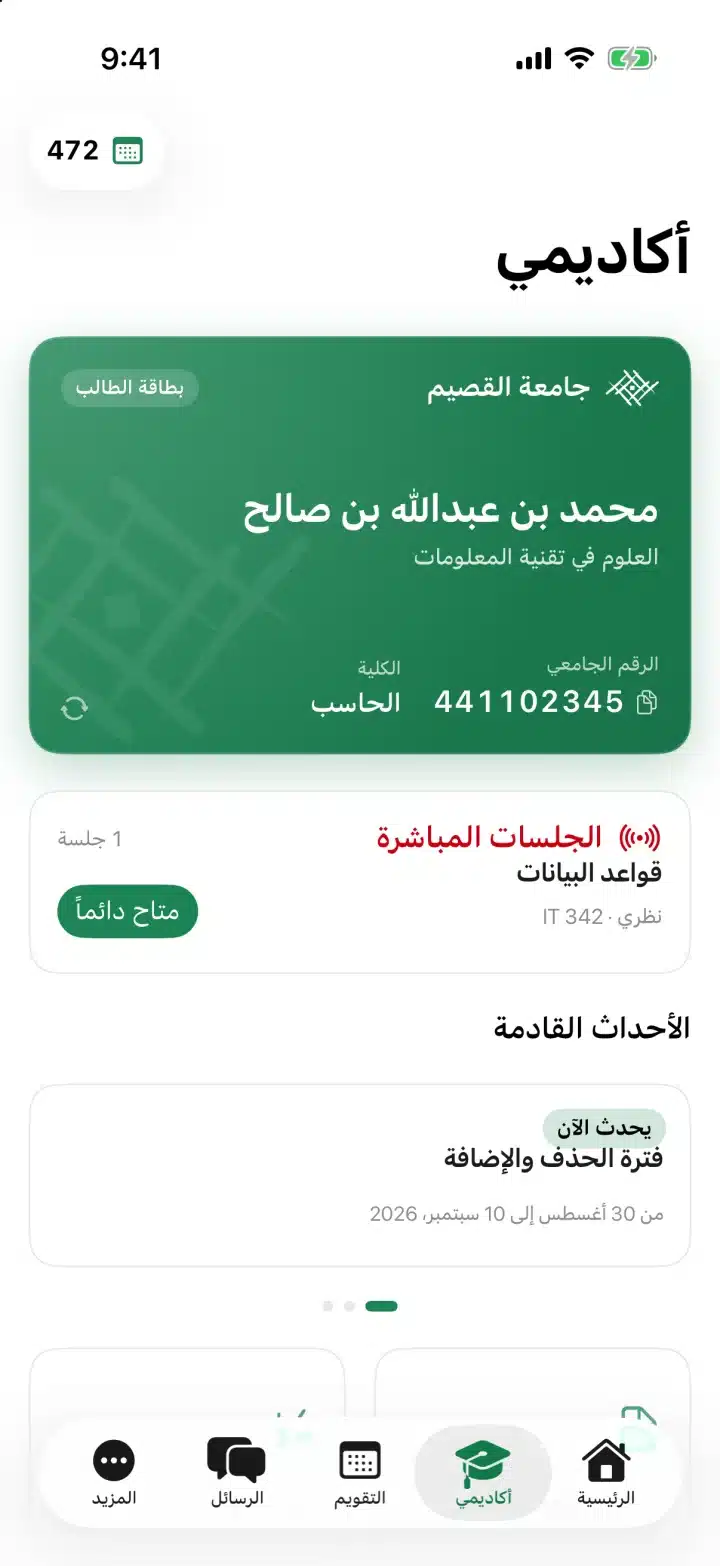
Your college day in one screen
The app opens and you immediately know what needs your attention: a lecture is starting now, a live session awaits you, an assignment is due today, or a missed absence is approaching.
- A warning bar highlights the most important first: a live session, a lecture within an hour, an assignment within 24 hours, or a high absence rate.
- Today's lectures, the latest announcements, and the upcoming delivery dates.
- Each card contains your grade, your absence rate, the number of unread announcements, and new content.
- Live sessions: Join with a touch from within the app.
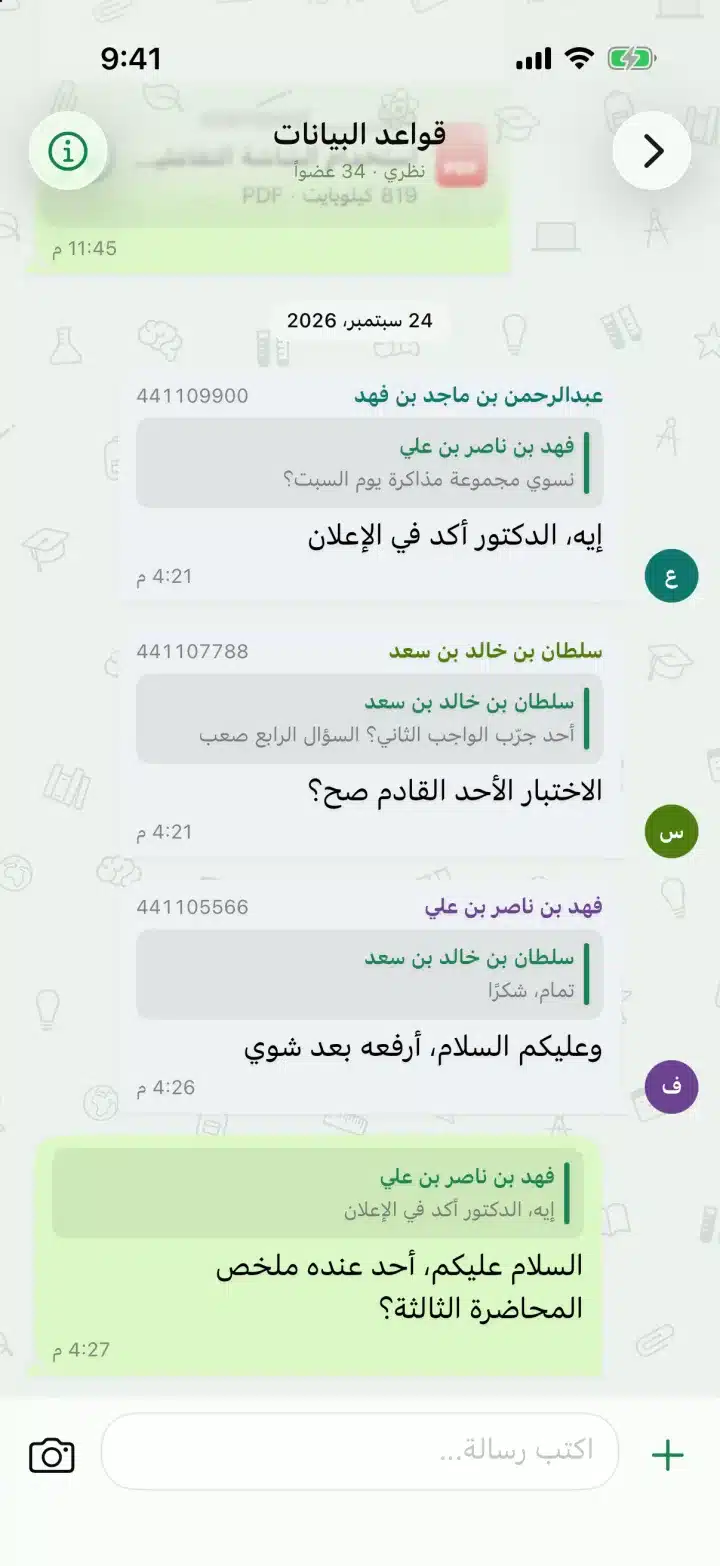
A group for each department, with your doctors and colleagues
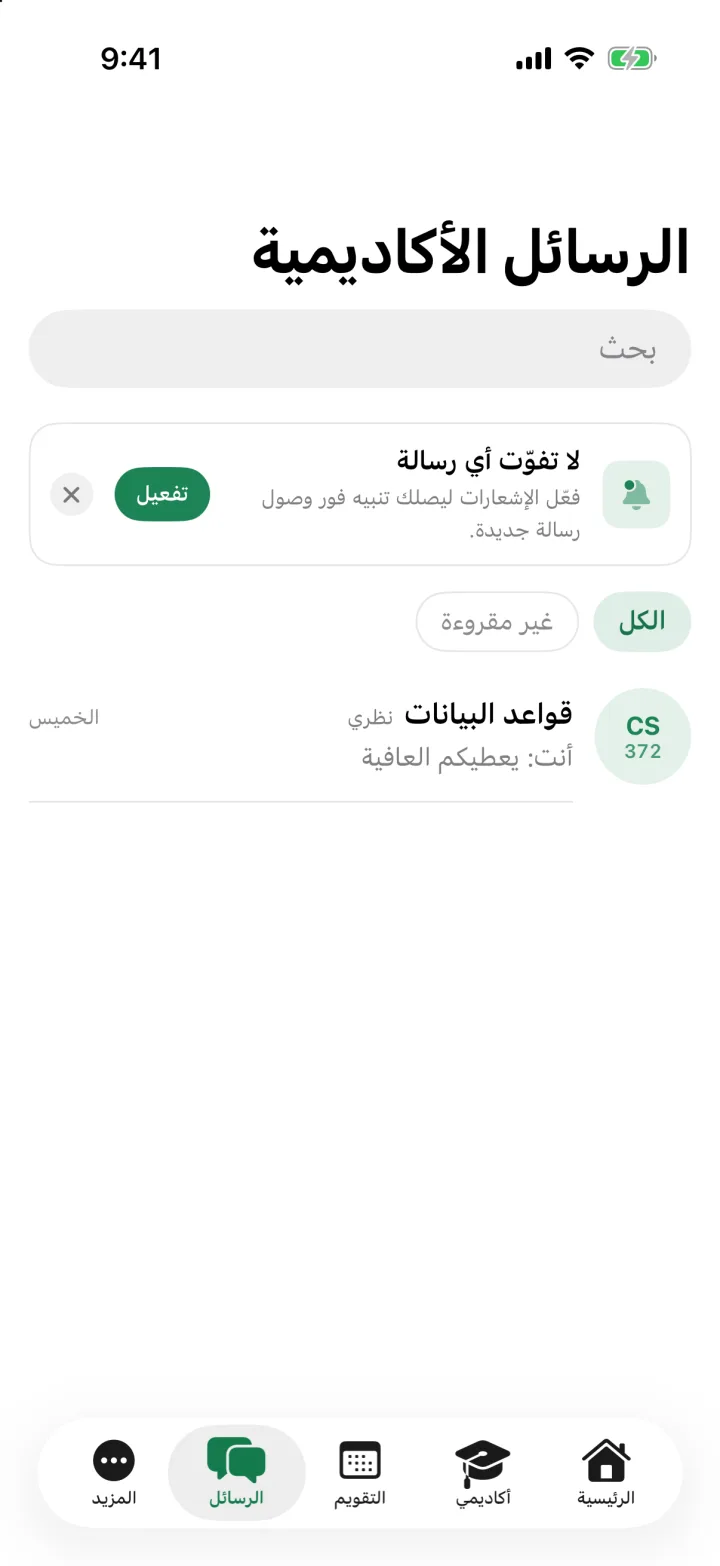
Each course has a discussion forum where you can interact with your instructor and fellow students, and where you can see announcements in context. A familiar experience and design, so you don't have to learn anything.
- Respond to a message, interact with it six times, or copy and paste the text.
- Send a photo after cropping it and writing on it, or a file, or a voice note, or a file from the clipboard directly.
- The pinned status bar at the top of the conversation shows what’s most important right now: a live session, a pending task, a new announcement, or a grade that has dropped.
- Choose the name your friends see, keep notifications off for eight hours, a week, or forever, and choose from eight backgrounds that sync between your devices.
A blackboard for each lecturer, written in your own hand Experimental
Digital Office understands pen. Type lecture notes on a PDF file from the clipboard, draw solutions, and record the lecture audio to be played back as you type line by line.
- Pen, marker, highlighter, and eraser that erase part of the line or the entire line.
- Shapes: Line, arrow, rectangle, and circle. Or keep the pen fixed at the end of the line to automatically convert it into a neat shape.
- Import PDF from «Files» or from the course files on the Blackboard and write on it, insert images and cut and paste them.
- Record the lecture while writing; when you play it back, your writing appears in sequence with the audio.
- Share a page as a picture or the entire whiteboard as a PDF, with keyboard shortcuts on the iPad.
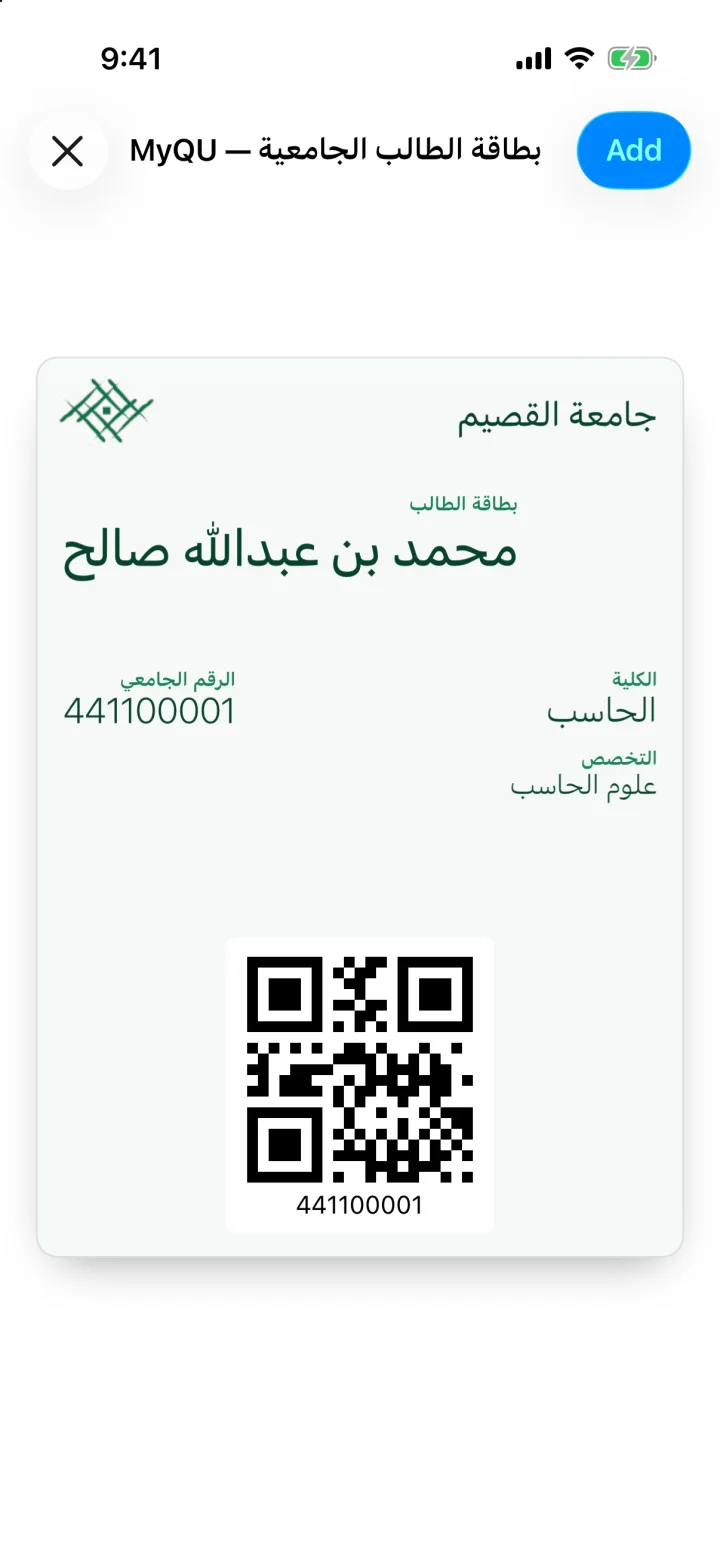
Your university card, always with you
A two-sided digital card: your data on one side, the barcode on the other with a single touch. Add it to your Apple Wallet or Google Wallet and it's with you even when the device is locked.
- Flip the card to reveal the barcode ready to be scanned.
- Add it to your Apple Wallet or Google Wallet with just one touch.
- Copy your student number with one click.
- Employees also have a digital employee card.
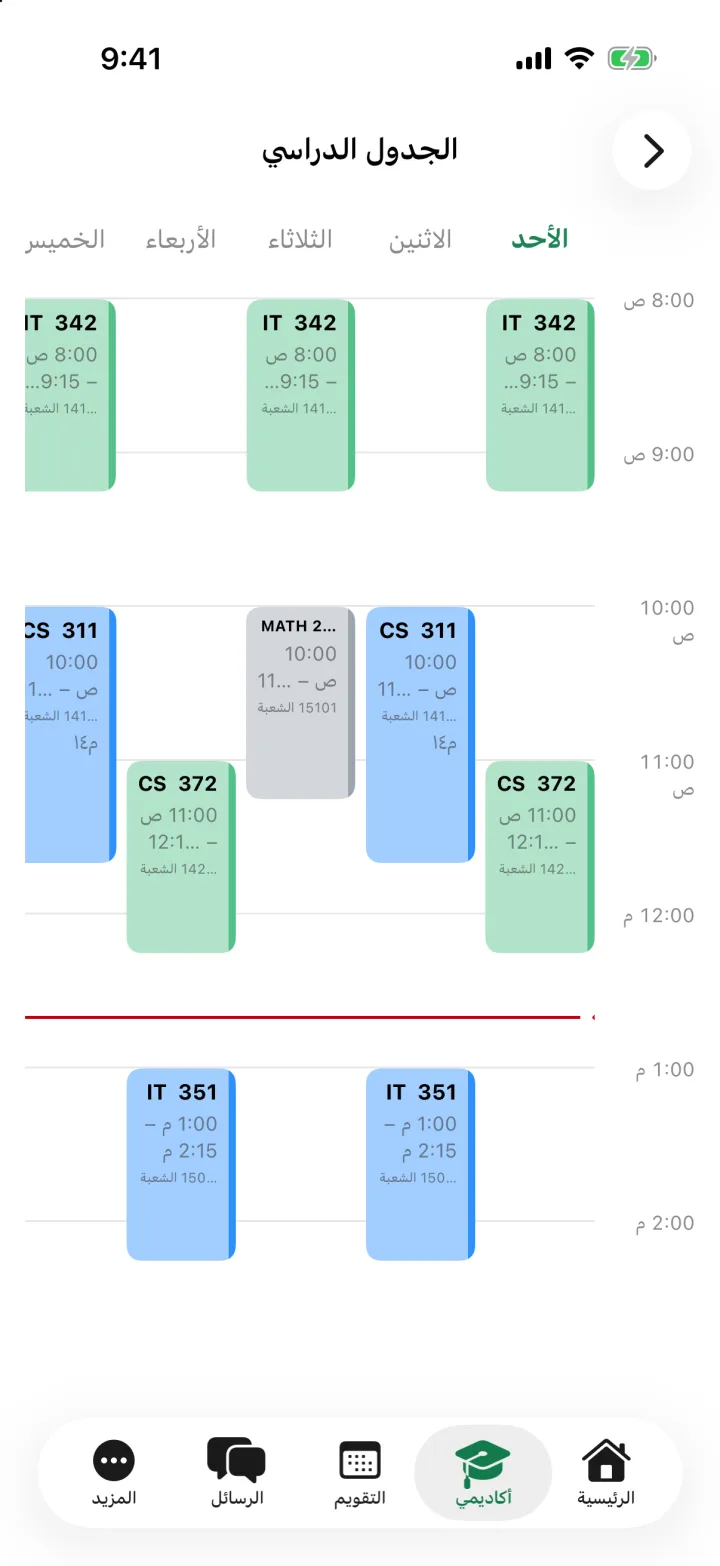
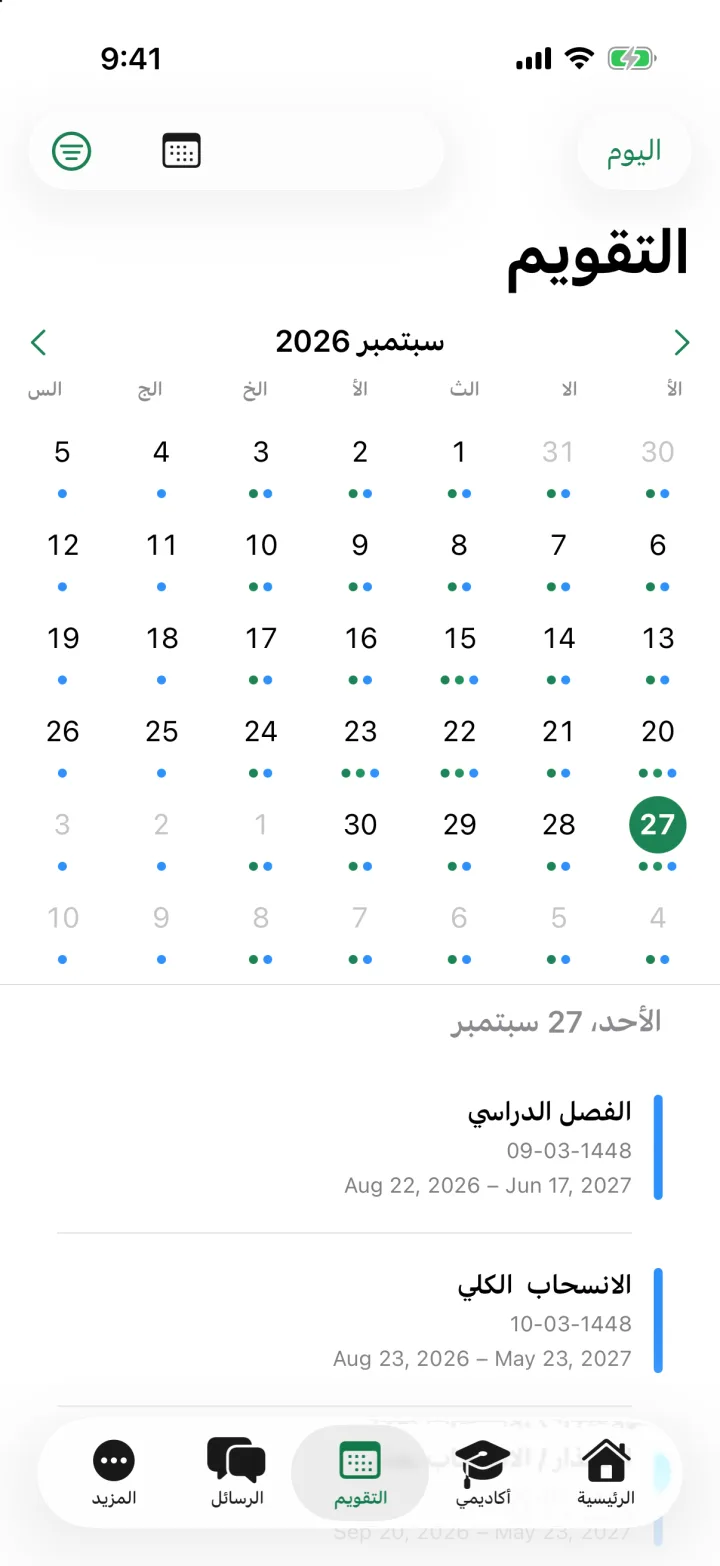
Your entire week and semester are at your fingertips
Your weekly schedule is clearly displayed on the mobile device and the entire week on the tablet; a calendar that brings together your lectures, exams, academic calendar, and university events in one place.
- Four display modes: Month, Week, Day, and Agenda.
- Classes you choose: Schedules, exams, academic calendar, and university events, with filtering by degree level.
- The widget on the home screen displays your upcoming lectures without opening the app.
Your settings on the dashboard, with an original interface
No need to open a browser. Link your account once, and open all your courses from within the app: its ads, its content, your grades, your lecture recordings, and your live sessions.
- Overview of each course: Grade summaries, latest announcements, lecture schedules, and test details.
- Ads are in a synchronized reading state with the clipboard, with copying and sharing.
- Browse the folders, open PDF, Word, and PowerPoint files directly, or save them to your device.
- Your grades with teacher notes, lecture recordings, and live sessions with a single touch.
And that's not all.
Average Calculator
Try «What If»: change your expected grades and see your grade, or set the grade you want and know what you need. It starts from your official grade in your record.
Study plan
Your levels, your choices, and your grade point average, along with previous requirements, pathways, and elective courses.
Academic record
Your courses, your modules, and your grades, one by one.
The absence
The percentage of your absence for each course and the type of alert, and the warning before you approach the limit.
Notifications
A new announcement from your doc, a message in your discipline group, or a reminder of your lecture; it arrives as soon as it is published, and you control it for each group.
Academic Advisor
His name, email address, office hours, and office are right in your file.
The Ideas Board
Propose a feature, vote on your colleagues’ ideas, and track their status: open, planned, or implemented. Every feature in this app started with a student’s observation.
For faculty members: Your courses on the Blackboard, from your phone
All you need to follow your classes between lectures, without opening the computer.
- Current semester schedules, an overview of each schedule: number of students, announcements, grade columns, and upcoming delivery dates.
- Student list with search and last login date.
- Grade records: the examiner and what awaits grading, the average for each column, and the grades of each student individually.
- Create, modify, or delete an ad, and set a date for its appearance.
- Add a folder, link, or upload a file to the course content, and show or hide any element.
For employees: Your self-service in one place
- The employee card with the barcode, and your resume.
- Absence and delay with details of the decision.
- Individual vouchers with the bank account history and the date of deposit.
- Self-service requests in their current state and their approval record.

Visitors to the university who are not its employees
Not a student or employee of the university? Open the app as a visitor and get acquainted with Al-Qassim University from your phone.
- Important circulars and announcements, news, events, and achievements.
- The colleges, their programs, and the published curricula.
- Unit and department directory with contact details, organizational structure.
- Vision and mission, academic calendar.
Fast and smooth on your phone and tablet device
A smartphone or tablet, Arabic or English, black or dark, connected or without internet: the app works as you would expect.
- iPad and tablets
- Side bar, split screen, and full week schedule—no stretched mobile screen.
- Arabic and English
- A design that adapts to your language, not translation over an alien design.
- Darken position
- On every screen.
- Without connection
- It keeps your data open even when you’re offline, and notifies you when the connection is lost.
- Small touches
- Light vibration with every action, direct links to any screen, and keyboard shortcuts on the iPad.
- Your privacy
- Your data remains in the university's systems, and the application is just a window into them.
Frequently asked questions
Who can log in?
Employees of Al-Qassim University: Students, faculty members, and staff, using their university accounts. Visitors browse the general content without an account.
Is the app official?
Yes. MyQU is the official application of the King Saud University, and it connects directly to the university’s systems.
How do I connect the Blynk account?
From within the app, only once. After that, your settings are opened directly, and the app does not keep your password.
What devices are supported?
iPhone and iPad running iOS 18 and later, Android devices running 8.0 and later, and smartphones and tablets.
Does the app work without internet?
Yes. What you previously opened remains on your device: the calendar, the journal, the courses, and the conversations. It is updated when the connection is restored.
Can I add the card to the wallet?
Yes. On iPhone, add it to your Apple Wallet, and on Android to your Google Wallet, with a single touch from the card page.
I have an idea for a feature. Where should I send it?
To the idea board within the app. Vote on your colleagues' ideas or add your own, and we'll let you know how they're doing.
Start your season with one application
Download MyQU and log in with your university account. Everything is in place from the very first moment.